
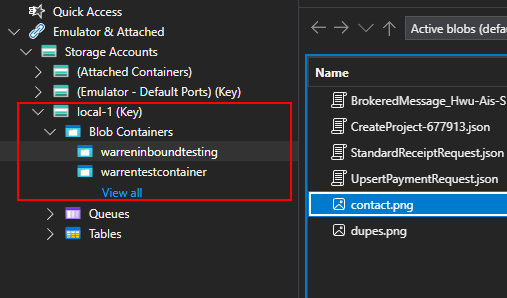
To be able to use Azurite from within dotnet it requires a secure https instance of Azurite running, here's what I had to do.
References:
- https://kaylumah.nl/2022/09/17/how-to-use-azurite-for-testing-azure-storage-in-dotnet.html
- https://dev.to/aschmelyun/using-the-magic-of-mkcert-to-enable-valid-https-on-local-dev-sites-3a3c
1. choco install mkcert
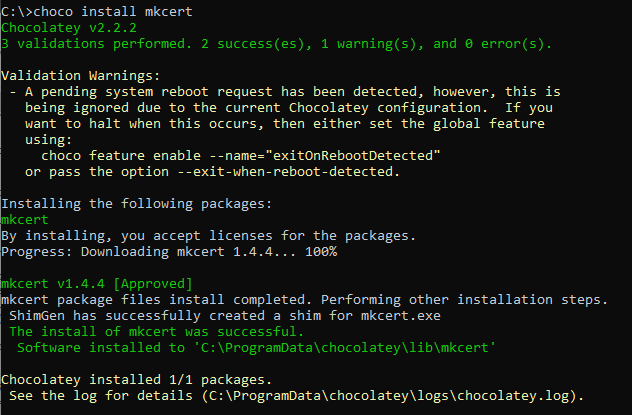
2. mkcert -install

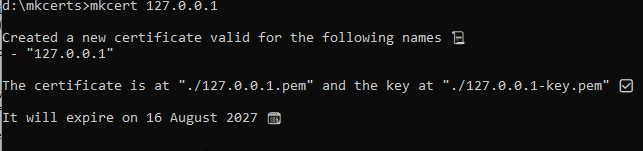
3. Create new directory for cert store
- d:\mkcerts
- mkcert 127.0.0.1
4. Start Azurite
- azurite --location c:\azurite --debug c:\azurite\debug.log --cert "D:\mkcerts\127.0.0.1.pem" --key "D:\mkcerts\127.0.0.1-key.pem" --oauth basic

- Or selected services:
- # Run only Blob azurite-blob --silent --location c:\azurite --debug c:\azurite\debug.log --oauth basic
- # Run only Queue azurite-queue --silent --location c:\azurite --debug c:\azurite\debug.log --oauth basic
- # Run only Table azurite-table --silent --location c:\azurite --debug c:\azurite\debug.log --oauth basic
5. Use the Service
You will now be able to attach to the local service using Azure Blob Storage:
NOTE: Sometimes the Azurite service starts up automatically, it's best to end and restart using the above configuration
# Find the process ID
netstat -ano | findstr :10000

# Kill the process
taskkill /PID 56104 /F