
I have Microsoft Office 365 already install, and have a Visio Professional 2019 product key.
1. Create a configuration file: Home - Microsoft 365 Apps admin center (office.com)

2. Download Microsoft Office Deployment Tool: Download Office Deployment Tool from Official Microsoft Download Center
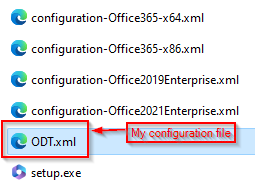
3. Save the configuration file from step 1. into the same directory as the deployment tool is installed:

4. Run the deployment by running the setup.exe in a administration command prompt:
setup.exe /configure ODT.xml